
How to Sign a Sales Agreement Online for Buyers and Sellers
Learn how to sign a sales agreement online step by step — covering document prep, audit trails, signing order, storage, and legal validity for buyers and sellers worldwide.
Writer — Certyneo · About Certyneo

Signing a sales agreement online is straightforward, legally recognized in most common-law and civil-law jurisdictions, and far faster than printing, couriering, and scanning paper documents. Both the buyer and the seller upload the document to an electronic signature platform, apply their signatures in the correct order, and receive a completed, tamper-evident copy by email — typically within minutes. This guide walks through every step of that process, explains what makes an e-signed sales agreement legally binding, and flags the situations where extra care is needed.
What a Sales Agreement Is and Why the Signing Process Matters
A sales agreement (sometimes called a purchase agreement or sale contract) is the document that records the terms under which one party transfers ownership of an asset — goods, real property, a vehicle, shares, or intellectual property — to another in exchange for payment. Because it defines price, delivery, warranties, and remedies, any defect in how it is executed can expose either side to disputes about enforceability.
Key clauses that affect how you sign
Before you route the document for e-signature, check three things:
- Counterpart clause. Most modern agreements include a counterpart clause confirming that electronic copies are as valid as originals. If yours does not, consider adding one.
- Signature block. Each party's block should show their full legal name, title (if signing on behalf of a company), and date. Electronic signature platforms capture these automatically alongside a timestamp.
- Governing law. The clause determines which jurisdiction's rules apply, which in turn affects the standard of e-signature required.
When a simple electronic signature is enough — and when it isn't
The vast majority of commercial sales agreements can be signed with a simple or advanced electronic signature: a typed name, a drawn signature, or a click-to-sign action supported by an audit trail. However, some contracts require a specific form under local law — for example, certain real estate transactions, deeds, or agreements involving regulated assets may need a witnessed signature, a notary, or a qualified electronic signature. If you are unsure whether your agreement falls into a special category, check with a qualified lawyer before proceeding electronically.
Preparing the Sales Agreement for Electronic Signing
Good preparation prevents signature rounds from stalling halfway through.
Finalizing the document
Lock the content before you send. Any edit after a signature is applied will invalidate that signature in a properly configured platform. Use PDF/A format where possible — it is the standard for long-term document integrity. If the agreement was drafted in a word processor, convert it to PDF and review the layout carefully: sometimes conversion shifts signature lines onto a blank page or splits a critical clause across pages.
Setting up the signature workflow
Most electronic signature platforms let you define the signing order. For a bilateral sales agreement, the convention is usually:
- Seller signs first — they confirm the offer.
- Buyer countersigns — they accept, forming the contract.
Alternatively, both parties can sign simultaneously if neither side needs to review the other's execution. Either way, the platform will notify each signer by email, guide them through any mandatory fields (initials on each page, date, witness if required), and lock the document once the last signature is captured.
Collecting signer information
You will need each party's full legal name and email address. For company signatories, also confirm their authority to bind the entity — a director, officer, or an attorney acting under a power of attorney. Some platforms support identity verification steps (SMS one-time passcode, government ID upload) for higher-assurance transactions.
How to Sign a Sales Agreement Online: Step by Step
For a practical walkthrough that applies to any type of contract, see our guide on signing a contract online and making it legally binding. The steps below are specific to sales agreements.
Step 1 — Upload and tag the document
Log in to your chosen electronic signature platform and upload the finalized sales agreement PDF. Use the tagging tools to place:
- A signature field for each party at the correct signature block.
- A date field that auto-fills on signing.
- Initial fields on each page if the agreement or local practice requires them.
- Any checkbox for representations and warranties that each side must acknowledge individually.
Step 2 — Add signers and configure notifications
Enter each signer's name and email. Set the signing order if the workflow is sequential. Write a brief message in the notification email explaining what the recipient is signing and by when — a clear deadline reduces delays.
Step 3 — Review and send
Preview the document as it will appear to each signer. Verify that no fields overlap text and that every required field has been placed. Send. The platform emails each signer a secure link; no account is required on most platforms for the recipient.
Step 4 — Each party signs
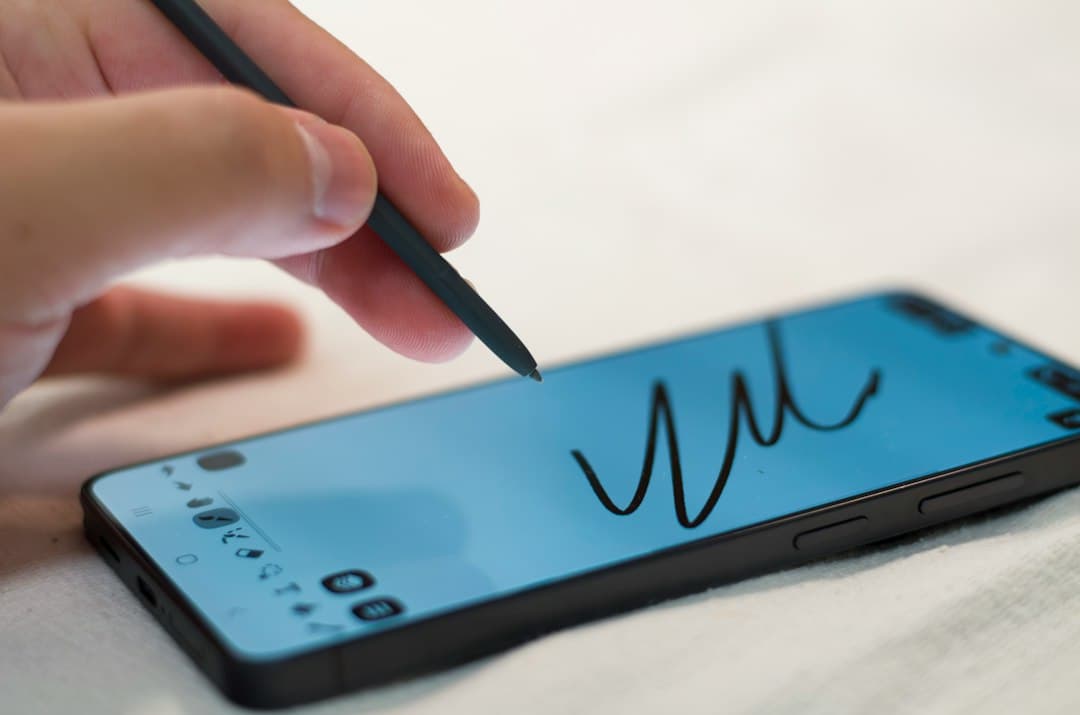
The signer opens the link, reads the document, and applies their signature — by typing their name, drawing with a mouse or touchscreen, or uploading an image of their handwritten signature. If you need to sign on a mobile device, the process works exactly the same way; for a device-specific walkthrough, the article on how to sign a document electronically on any device covers every common scenario.
Step 5 — Download the completed agreement
Once all parties have signed, the platform generates a completed PDF with an embedded audit trail (sometimes called a certificate of completion or evidence summary). This record typically logs each signer's email address, IP address, timestamp, and the document's cryptographic fingerprint. Store this file securely — it is your proof of execution.
Common Mistakes That Invalidate or Weaken an E-Signed Sales Agreement
Signing an unsigned draft
Always sign the final, agreed version. An audit trail that timestamps a draft rather than the agreed final document is worse than useless — it creates evidence of an earlier, potentially different agreement.
Failing to capture a full audit trail
A bare image of a handwritten signature pasted into a PDF is not an electronic signature in the legal sense recognized by the ESIGN Act, UETA, or the UK Electronic Communications Act. It lacks an audit trail linking the signature to a specific person at a specific moment. Use a dedicated platform that generates an evidence record. For background on what distinguishes a legally compliant e-signature from a simple image, see how to create an electronic signature.
Assuming all agreements can be signed electronically
Certain categories of document — wills, deeds of transfer for real property in some states or territories, some court documents — may be excluded from e-signature legislation or subject to additional formality requirements. The safe approach is to verify the specific requirements for your agreement type before choosing an electronic method.
Ignoring cross-border requirements
A sales agreement between a US seller and an Australian buyer is governed by whichever law the parties chose (or the conflict-of-laws rules if they did not). If the governing law clause points to a jurisdiction you are unfamiliar with, get advice on whether that jurisdiction's rules impose any form requirements that affect electronic execution. For agreements falling under US law specifically, the article on signing contracts electronically under ESIGN and UETA explains the federal and state framework in detail.
Storing and Managing Executed Sales Agreements
Signing is only part of the lifecycle. Once the agreement is executed:
- Store the signed PDF and its audit trail together. Never store the evidence record separately from the signed document.
- Keep at least one cloud backup and one local copy. A single storage location is a single point of failure.
- Retention. The correct retention period depends on the type of agreement, the jurisdiction, and any industry-specific rules (for example, records relating to health-data transactions may fall under HIPAA). When in doubt, retain longer rather than shorter, and consult the relevant rule.
- Access control. Restrict access to signed agreements to those who need them. A sales agreement often contains commercially sensitive pricing, payment terms, or personal data of the parties.
- Amendment and termination. If the agreement is later varied or terminated, execute the amendment or termination deed through the same (or a compatible) electronic process and store it alongside the original.
Legal framework
Electronic signatures on sales agreements draw their authority from a layered set of statutes and regulations. Understanding which rules apply to your transaction helps you choose the right signature method and avoid enforceability gaps.
US ESIGN Act (15 U.S.C. § 7001)
The federal Electronic Signatures in Global and National Commerce Act establishes that a signature or contract may not be denied legal effect solely because it is in electronic form. It applies to transactions in or affecting interstate or foreign commerce, which covers most commercial sales agreements. Certain categories — including agreements governed by specific state laws not superseded by ESIGN — may require additional steps.
UETA (Uniform Electronic Transactions Act)
Adopted in some form by the vast majority of US states, UETA provides the state-level counterpart to ESIGN. It confirms that an electronic record or signature satisfies any rule of law requiring a writing or signature, provided the parties have agreed — expressly or by conduct — to conduct the transaction electronically. The agreement of the parties is a prerequisite, so ensure both sides have opted in.
UK Electronic Communications Act 2000
This Act provides the legal foundation for the admissibility of electronic signatures in UK proceedings. It enables electronic signatures to be used as evidence of authentication. For higher-value or higher-risk transactions, UK parties may consider whether an advanced or qualified electronic signature — as defined under the UK GDPR-aligned framework that succeeded eIDAS — is appropriate, though most commercial sales agreements can rely on a simpler form.
eIDAS Regulation 910/2014
eIDAS is the EU regulation that establishes three tiers of electronic signature — simple, advanced, and qualified — and requires EU member states to give legal effect to each. Post-Brexit, the UK has its own equivalent framework, but eIDAS remains relevant for sales agreements with counterparties in EU member states. A simple electronic signature is presumed valid unless a specific rule requires a higher tier.
GDPR and UK GDPR
Where the signing process involves collecting or processing personal data — names, email addresses, IP addresses — of individuals in the UK or EU, the data controller must have a lawful basis for that processing. The audit trail generated by an electronic signature platform is personal data and should be handled in accordance with applicable data protection law, including appropriate retention limits and security measures.
HIPAA
If a sales agreement relates to health information or is part of a transaction covered by US health privacy rules, HIPAA's requirements for safeguarding protected health information may apply to how the agreement and its supporting records are stored and accessed. The specific obligations depend on whether the parties qualify as covered entities or business associates under the Act.
Use cases
A small business selling equipment to a corporate buyer across states
A supplier based in one US state agrees to sell a batch of industrial equipment to a buyer headquartered in another. Neither side wants to courier wet-ink originals across the country and wait several days for execution. The supplier uploads the finalized purchase agreement to an electronic signature platform, tags the signature and date fields for both parties, and sends the request. The buyer's authorized officer signs the same afternoon from a laptop. The completed PDF — with its embedded audit trail recording each party's email, timestamp, and document fingerprint — is downloaded by both sides. The transaction closes in under two hours. Because both parties explicitly agreed to transact electronically and the agreement contains a counterpart clause, the executed document is fully enforceable under ESIGN and the applicable state's UETA adoption.
A property buyer and private seller completing a preliminary sale agreement in Ireland
Under Irish law, certain formalities apply to contracts for the sale of land, so the parties take legal advice before choosing an electronic method. Their solicitors confirm that the preliminary agreement (subject to contract) they intend to execute does not trigger the stricter formality requirements that apply to the final conveyance. Both solicitors, acting on instructions, apply advanced electronic signatures to the document via their firms' platforms. The signed preliminary agreement, along with the evidence records from each platform, is retained in both firms' client files. The arrangement saves several days compared to the traditional post-and-wet-ink process.
A freelance seller and an online marketplace buyer completing a cross-border goods agreement
A seller in India and a buyer in South Africa agree on the sale of handcrafted goods for export. Their agreement needs to be signed quickly to meet a shipping window. The seller uses an electronic signature service, adds both parties as signers, and routes the document. The buyer signs via a smartphone — the platform's mobile interface guides them through each field. Within the hour, both parties hold an identical, cryptographically sealed PDF. Because the agreement specifies English law as the governing law, the UK Electronic Communications Act and the post-eIDAS UK framework govern its validity, supplemented by any mandatory provisions of South African consumer law that cannot be contracted out of.
Frequently asked questions
Is an electronically signed sales agreement legally binding?
Yes, in most jurisdictions. The US ESIGN Act, UETA, the UK Electronic Communications Act, and eIDAS all confirm that a valid electronic signature cannot be denied legal effect solely because it is electronic. The key requirements are that the parties agreed to transact electronically, the signature is attributable to the signer, and the document has not been altered after signing. Some specific contract types may require additional formalities — always verify for your particular agreement.
What information does an audit trail need to include?
A reliable audit trail should capture, at minimum, each signer's email address, the date and time of each signing action (in a recognized time zone), the IP address from which the signature was applied, and a cryptographic hash of the document that allows anyone to verify the file has not been changed since execution. Some higher-assurance workflows also include identity verification steps such as an SMS one-time passcode or government ID check.
Can a buyer and seller sign at the same time, or must one sign first?
Both approaches are valid. Sequential signing — seller first, then buyer — creates a clear record of offer and acceptance, which mirrors classical contract formation. Simultaneous signing is equally effective and faster. The choice depends on the parties' preference and whether local practice or the agreement itself specifies an order. Most electronic signature platforms support both workflows.
Do both parties need an account on the same platform?
No. In most electronic signature platforms, only the person who initiates the signing workflow needs an account. Recipients receive a secure link by email and can review and sign the document in a browser without registering. This makes the process simple for buyers or sellers who do not use the platform regularly.
How long should I keep a signed sales agreement?
Retention requirements vary by jurisdiction, contract type, and industry. As a general rule, retain the executed agreement and its audit trail for at least as long as the limitation period for contract claims in the governing jurisdiction — this is the window during which a party could sue for breach. Some sectors impose longer mandatory retention periods. When in doubt, retain the document for longer than you think necessary, and store the audit trail alongside the signed PDF rather than separately.
Conclusion
Signing a sales agreement online is no longer an edge case reserved for tech-forward businesses — it is the default for buyers and sellers who value speed, traceability, and cost savings. The legal framework in the US, UK, Ireland, Australia, India, South Africa, and Canada all recognize a properly executed electronic signature as equivalent to its handwritten counterpart, provided the right process is followed: a finalized document, clearly placed signature fields, an unbroken audit trail, and secure storage of the completed file.
The practical steps are simple: prepare and lock the document, tag the signature fields, set the signing order, send, and collect the evidence record once all parties have signed. Where your agreement touches on regulated asset types or cross-border law, a brief review with a qualified lawyer before you proceed electronically will give both sides confidence.
If you are ready to get started, create a free account with Certyneo and sign your first sales agreement today — no installation required. If you have questions about volume or enterprise needs, our team is happy to help; talk to our sales team for a tailored conversation.
Try Certyneo for free
Send your first signature envelope in under 5 minutes. 5 envelopes for 14 days, then 2/mo, no credit card required.
Related Certyneo tools
Move from reading to action with the tools built into the platform.
Go deeper on the topic
Our comprehensive guides to master electronic signatures.
Continue reading about Tutorials — How to Sign
Deepen your knowledge with these related articles.

How to Sign a Contract Online and Make It Legally Binding
Discover how to sign a contract online so it's legally binding on both parties — covering ESIGN, UETA, eIDAS, best practices, and contracts that still need wet-ink signatures.

How to sign contracts electronically under ESIGN and UETA
How to sign a contract electronically in the US so it is enforceable under the ESIGN Act and UETA: requirements, step-by-step process, exceptions, and the evidence to keep.
How to Create an Electronic Signature: Every Method Explained
Discover every method to create an electronic signature — type, draw, or upload — with practical steps, legal context, and tips to keep your signed documents enforceable.