How to Create an Electronic Signature: Every Method Explained
Discover every method to create an electronic signature — type, draw, or upload — with practical steps, legal context, and tips to keep your signed documents enforceable.
Writer — Certyneo · About Certyneo
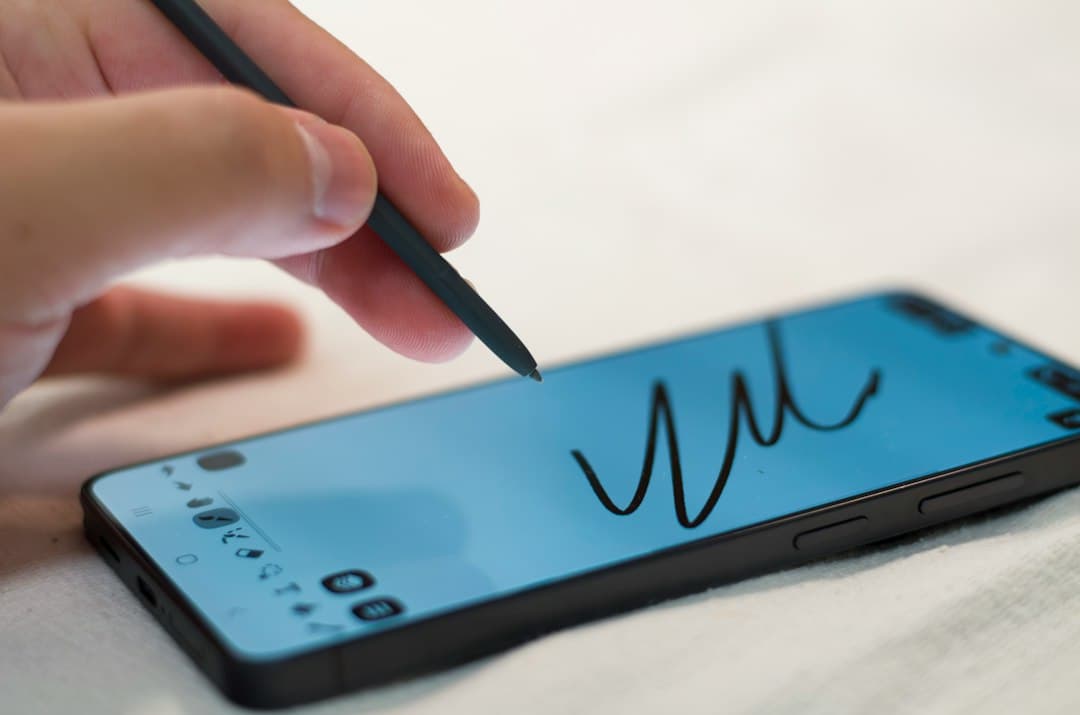
Creating an electronic signature takes less than a minute once you know which method suits your document and jurisdiction. You can type your name in a styled font, draw your signature with a mouse or touchscreen, or upload a scanned image of your handwritten signature. Each approach produces a legally valid result under laws like the US ESIGN Act and the UK Electronic Communications Act 2000, provided your intent to sign is clear and the signature is linked to the document. This guide walks through every creation method, explains when to use each one, and highlights the practical considerations that keep your signed documents enforceable.
Understanding the Three Core Creation Methods
Before diving into steps, it helps to know exactly what each method produces and where it fits in everyday signing workflows.
Type Your Signature
Typing is the fastest route. You enter your name—or initials—and the platform renders it in a handwriting-style font. The result looks informal to some eyes, but it carries the same legal weight as a drawn signature under the ESIGN Act and UETA in the United States, and under eIDAS Regulation 910/2014 across the European Economic Area and the UK (where eIDAS principles were carried over into domestic law after Brexit).
Practical tips:
- Choose a font that is distinct and legible, not generic.
- Some platforms let you adjust size and color; a blue or black rendering is most recognizable as a signature.
- Avoid using a nickname or abbreviation if the contract identifies you by your legal name.
Draw Your Signature
Drawing reproduces your natural handwriting using a mouse, trackpad, stylus, or finger on a touchscreen. It is the closest digital equivalent to signing on paper and is preferred for high-value contracts, real estate transactions, and any situation where the counterparty expects a "real" signature appearance.
Steps for a clean drawn signature:
- Use a stylus or finger on a tablet rather than a mouse if possible — trackpad input tends to look choppy.
- Sign slowly and deliberately; most tools allow you to clear and retry.
- After drawing, preview the result at full size to confirm it matches your usual signature.
Drawing produces what platforms often call a "biometric" or "behavioral" data point (the speed and pressure of your strokes), which strengthens audit trail evidence.
Upload a Signature Image
Uploading lets you scan or photograph your handwritten signature on white paper, then save it as a PNG with a transparent background. This method is popular with professionals who want pixel-perfect consistency across all their documents.
How to prepare a clean signature image:
- Sign with a black rollerball pen on plain white paper with no lines.
- Photograph in good natural light or scan at 300 dpi.
- Use a free image editor to remove the white background, leaving only the ink strokes.
- Save as PNG (preserves transparency) at a resolution appropriate for A4 or Letter paper.
Once uploaded, the image is embedded in every document you sign, so store the original file securely.
Step-by-Step: Creating Your Signature on a Signing Platform
Whether you use a dedicated service or a PDF editor, the process follows a predictable pattern. For a broader look at the full signing workflow, see this guide on signing a document electronically on any device.
On a Desktop Browser
- Open or upload the document to the signing platform.
- Click the signature field or choose "Add signature."
- Select your method: Type, Draw, or Upload.
- Confirm and place the signature on the correct page and position.
- Apply any required date or initials fields.
- Click "Sign" or "Finish" — the platform binds your signature cryptographically to the document and logs the action in an audit trail.
- Download the signed PDF or share it directly with the counterparty.
On a Mobile Device
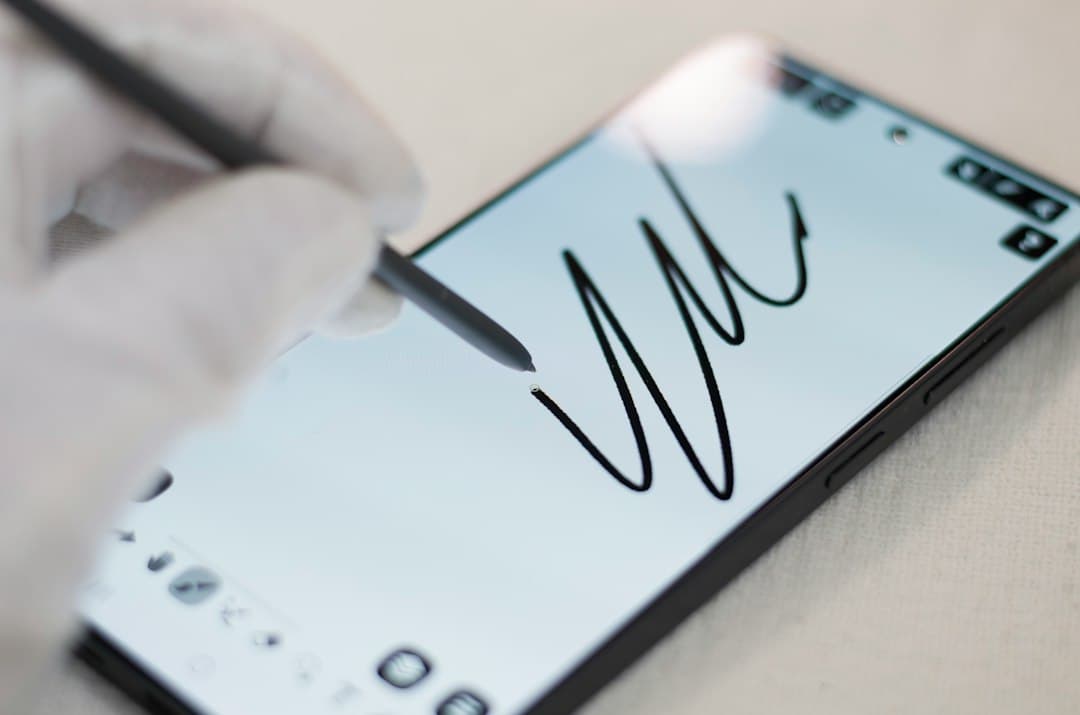
Mobile signing is increasingly common, especially for lease agreements, HR onboarding, and service contracts. The draw method works well on smartphones because the touchscreen gives natural finger input. If you need guidance specific to your device, there are dedicated walkthroughs for signing a PDF on an iPhone and for signing a PDF on an Android phone.
Steps are the same as on desktop, except:
- Rotate to landscape mode for drawing — it gives you more horizontal space.
- Zoom in before placing the signature to position it precisely.
- Check that the downloaded file looks correct before closing the browser.
Choosing the Right Signature Level for Your Document
Not every document needs the same level of assurance. Electronic signature frameworks — from UETA in the US to eIDAS in the UK and EU — distinguish between different levels of assurance, even if the terminology varies by jurisdiction.
Simple Electronic Signature (SES)
A typed, drawn, or uploaded image typically qualifies as a simple electronic signature. This covers the vast majority of commercial contracts: supplier agreements, freelance contracts, NDAs, software licenses, and internal HR documents. Under UETA, an SES is enforceable as long as the parties have agreed to conduct the transaction electronically.
Advanced and Qualified Electronic Signatures
Some documents demand stronger identity verification. Advanced electronic signatures (AES) under eIDAS require that the signature be uniquely linked to the signer and created using data under the signer's sole control. Qualified electronic signatures (QES) add a certificate from an accredited trust service provider and, in the EU and UK, have the same legal effect as a handwritten signature by law.
If you are signing notarized instruments, certain real estate transfers, regulated financial agreements, or cross-border contracts with EU counterparties, check whether a higher level is required before choosing the simple draw or type method. When in doubt, your legal counsel or the Certyneo sales team can help you identify the appropriate level for your use case.
Saving, Reusing, and Managing Your Signature
Saving a Signature for Future Use
Most platforms allow you to save a created signature to your profile so you do not have to redraw it every time. This is convenient but carries a responsibility: if someone else gains access to your account, they can use your saved signature. Protect your account with a strong, unique password and multi-factor authentication.
When to Create a New Signature
Consider creating a fresh signature when:
- You legally change your name.
- Your handwriting has changed significantly and the saved version no longer matches your current wet signature.
- The saved image is low resolution or looks unprofessional on printed documents.
- You are transitioning from a personal to a business signing context and want separate identifiers.
Storing Signed Documents
After signing, retain the signed PDF along with the audit trail or certificate of completion. The audit trail records the timestamp, IP address, and signing method — evidence that matters if a party later disputes the signature's authenticity. Retention requirements vary by contract type and jurisdiction; some categories of agreement require records to be kept for several years, so check the rule applicable to your specific document.
Common Mistakes to Avoid
Even a technically valid signature can create problems if the surrounding process is careless.
- Signing without reading: An electronic signature is as legally binding as a wet signature. Read every clause before you sign.
- Using someone else's account: The signature must be your own act. Authorizing a colleague to sign using your credentials can invalidate the signature and expose both parties to liability.
- Skipping the audit trail: Always use a platform that generates a tamper-evident audit trail. A standalone image file with no metadata is difficult to enforce if challenged.
- Ignoring jurisdiction rules: A document signed in India, South Africa, or Canada may be governed by local electronic transactions legislation that has specific requirements — verify before you sign.
- Forgetting to send a copy: Both parties should retain the executed document. If you are requesting someone else's signature, the guide on how to request a signature by email covers best practices for the send-and-track workflow.
For documents like residential leases where specific form requirements sometimes apply, review the relevant rules before signing digitally — this article on signing a lease agreement online is a useful reference.
Legal framework
Electronic signatures are governed by a layered set of laws across the target markets. Understanding which law applies to your document — and what it actually requires — prevents disputes and keeps signed documents enforceable.
US ESIGN Act (15 USC §7001)
The Electronic Signatures in Global and National Commerce Act establishes that an electronic signature cannot be denied legal effect solely because it is in electronic form. It applies to interstate and foreign commerce, requires affirmative consent from consumers before they receive electronic disclosures, and preserves the right of parties to use paper if they choose. Certain categories — wills, testamentary trusts, court orders, and a small number of consumer notices — are excluded from ESIGN's coverage.
UETA (Uniform Electronic Transactions Act)
Adopted in some form by the vast majority of US states, UETA fills the gaps left by ESIGN for intrastate transactions. It requires that parties agree — expressly or by their conduct — to conduct the transaction electronically. Without that agreement, an electronic signature may not satisfy UETA's requirements even if it is technically sound.
eIDAS Regulation 910/2014
eIDAS applies across the EU and informed the UK's post-Brexit framework. It defines three tiers of electronic signature (simple, advanced, qualified) and mandates that qualified electronic signatures have the same legal effect as handwritten signatures across member states. It also establishes mutual recognition of trust services, which matters for cross-border contracts within the EEA.
UK Electronic Communications Act 2000
This Act confirms that electronic signatures are admissible in evidence in English and Welsh proceedings and that their evidential weight is a question of fact for the court. It formed the domestic statutory basis for electronic signing before eIDAS and continues to underpin UK practice post-Brexit alongside the UK Electronic Identification and Trust Services Regulation.
GDPR and UK GDPR
Signing platforms process personal data — names, email addresses, IP addresses, and behavioral biometric data from drawn signatures. Controllers must have a lawful basis for this processing, retain data only as long as necessary, and honor data subject rights. If you are using a platform on behalf of an organization, ensure a data processing agreement is in place.
HIPAA
Where signed documents contain protected health information — patient consent forms, treatment authorizations, or medical records — HIPAA's Security Rule requires appropriate technical safeguards. The signing platform must qualify as a business associate and a Business Associate Agreement must be executed before it processes any PHI.
FDA 21 CFR Part 11
Organizations in regulated pharmaceutical, biotech, or medical device industries must ensure that electronic signatures on regulated records comply with 21 CFR Part 11, which prescribes controls for system validation, audit trails, and signer identification. Using a standard consumer signing tool for regulated records without validating it against Part 11 requirements is a compliance risk.
Use cases
Independent contractor and client — service agreement
A freelance graphic designer based in Toronto completes a brand identity project and needs the client, a small business owner in Ontario, to sign the deliverable acceptance form before releasing the final files. The designer uploads the PDF, adds a signature field and a date field for the client, and sends the signing link by email. The client opens the link on a smartphone, draws a signature with their finger, and taps "Done." Both parties receive a copy of the executed document with a full audit trail within seconds. No printing, scanning, or courier is involved, and the signed record satisfies UETA-equivalent requirements under Ontario's Electronic Commerce Act.
HR onboarding — employment offer letter
A human resources team at a mid-sized company in the UK needs new hires across three cities to sign offer letters before their start date. Rather than posting paper copies or waiting for in-person attendance, the HR coordinator sends each candidate a signing link. Candidates type their name in a styled font, review the offer, and confirm. The completed documents are stored in the company's document management system with timestamps and IP addresses recorded — information that is admissible as evidence of the signature under the UK Electronic Communications Act 2000. The process shortens onboarding from several days to a few hours.
Property management — residential lease renewal
A property manager in New South Wales, Australia, oversees a portfolio of rental properties and needs tenants to sign annual lease renewals. Local electronic transactions legislation permits electronic execution of residential leases where both parties consent. The property manager uses a signing service to send the renewal documents, which tenants sign on their own devices — some by drawing, some by uploading a saved signature image. The completed leases are stored for the statutory retention period applicable in New South Wales, satisfying record-keeping obligations without physical filing cabinets.
Frequently asked questions
Is a typed or drawn electronic signature legally valid?
Yes, in most jurisdictions a typed or drawn electronic signature carries the same legal weight as a handwritten one, provided the signer's intent is clear and the parties have agreed to transact electronically. Laws such as the US ESIGN Act, UETA, and eIDAS Regulation 910/2014 all confirm that a signature cannot be denied legal effect solely because it is electronic. Certain document categories — including wills in many states and some court filings — are excluded from these rules.
What is the difference between drawing and uploading a signature?
Drawing captures your signature in real time using a mouse, stylus, or finger. Uploading inserts a pre-prepared image of your handwritten signature. Both are legally equivalent in most contexts. Drawing may produce additional behavioral metadata — stroke speed and direction — that strengthens the audit trail. Uploading offers visual consistency across all documents but requires you to store and protect the image file carefully.
Can I use the same signature for every document?
Generally yes, though some regulated industries impose additional controls. For standard commercial contracts, NDAs, and HR documents, one consistent signature is fine. For documents subject to FDA 21 CFR Part 11, HIPAA, or qualified signature requirements under eIDAS, check whether the platform and signing method meet the specific technical and identity-verification standards that apply before reusing a simple signature.
How do I make my electronic signature look professional?
For a typed signature, choose a clean handwriting-style font and avoid script fonts that are difficult to read. For a drawn signature, use a stylus on a tablet in landscape mode and sign slowly. For an uploaded image, scan at 300 dpi with a black pen on plain white paper and remove the background to create a transparent PNG. In all cases, preview the signature on a full-size document before finalizing.
What should I do if a counterparty refuses to accept my electronic signature?
First, confirm whether their refusal is based on a genuine legal requirement for a wet or notarized signature, or simply an internal policy or unfamiliarity with electronic signing. If the document type legally requires a wet signature — certain deeds, wills, or government filings in some jurisdictions — you will need to sign on paper. If the refusal is policy-based, sharing the relevant statutory provisions (ESIGN, UETA, or eIDAS) often resolves the issue. When stakes are high, seek legal advice before proceeding.
Conclusion
Creating an electronic signature is a straightforward process regardless of whether you type, draw, or upload — and all three methods produce a legally enforceable result under US, UK, EU, Australian, Indian, South African, and Canadian electronic transaction laws when used correctly. The key factors are the signer's clear intent, a reliable audit trail, and choosing the right signature level for the document at hand. For routine commercial contracts and everyday business documents, a simple typed or drawn signature is entirely sufficient. For regulated industries or cross-border agreements requiring higher assurance, verifying the applicable standard before signing protects all parties.
If you are ready to start signing or sending documents for signature, you can explore how the Certyneo electronic signature platform works and review the available plans and pricing. To get started right away, create a free Certyneo account — no commitment required.
Try Certyneo for free
Send your first signature envelope in under 5 minutes. 5 envelopes for 14 days, then 2/mo, no credit card required.
Related Certyneo tools
Move from reading to action with the tools built into the platform.
Go deeper on the topic
Our comprehensive guides to master electronic signatures.
Continue reading about Tutorials — How to Sign
Deepen your knowledge with these related articles.
How to Sign a Document Electronically on Any Device, Step by Step
A plain-English walkthrough on how to sign a document electronically, step by step, on desktop or mobile — covering legal validity, signature types, and best practices.

How to Sign a PDF on Your Android Phone Legally and Securely
Signing a PDF on Android is quick and legally binding. Discover the best methods, step-by-step instructions, and legal requirements for the US, UK, Australia, and beyond.

How to Sign a PDF on iPhone Without Printing a Single Page
Step-by-step guide to signing any PDF on your iPhone — using Apple's free Markup tool or a browser-based e-signature service — without printing a single page.