How to Sign a Contract Online and Make It Legally Binding
Discover how to sign a contract online so it's legally binding on both parties — covering ESIGN, UETA, eIDAS, best practices, and contracts that still need wet-ink signatures.
Writer — Certyneo · About Certyneo

Signing a contract online is not only possible — it is routine for businesses and individuals across the US, UK, Australia, Canada, India, and South Africa. An electronic signature applied through a reputable platform carries the same legal weight as a handwritten signature in most commercial transactions, provided a few straightforward conditions are met. The key requirements are mutual consent, a clear record of who signed, and a process that links the signature to the document itself. This guide walks you through every step, explains what makes an e-signature legally binding on both parties, and flags the narrow categories of contracts where a wet-ink signature is still required.
Understanding what makes an online signature legally binding
Before you open any signing platform, it helps to understand what the law actually demands. Legislation in every major English-speaking jurisdiction reduces to the same three pillars: intent, consent, and integrity.
Intent to sign
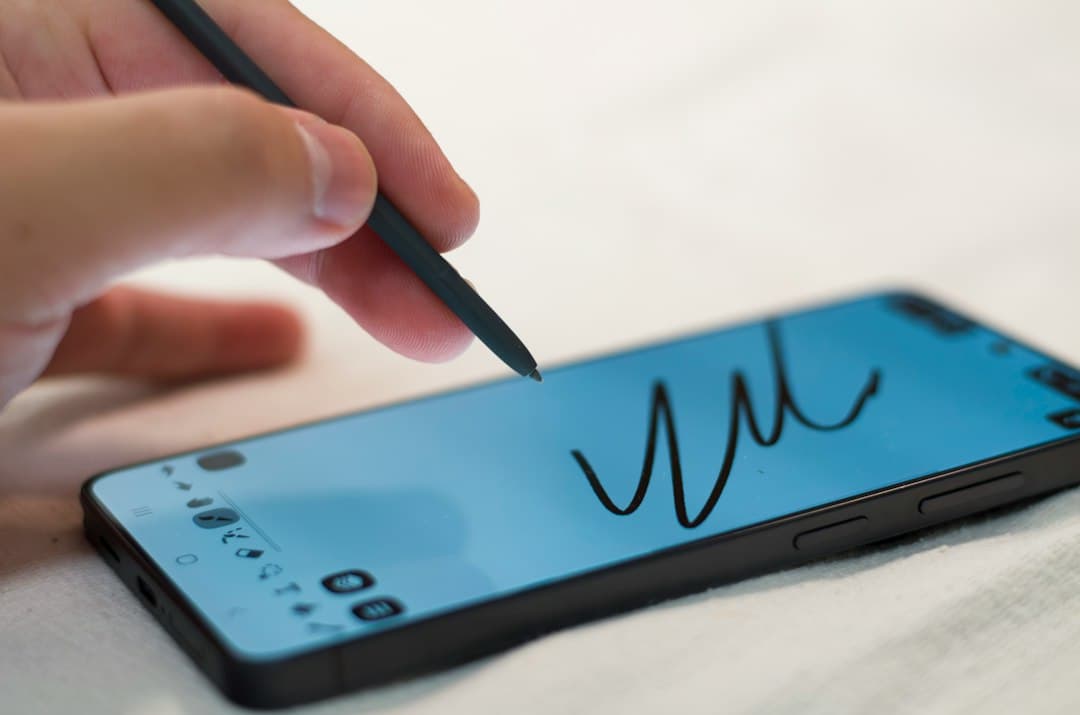
A signature is valid only when the signer means to authenticate the document. Clicking "I agree," typing your name into a signature field, or drawing your initials with a stylus all demonstrate intent — as long as the act is voluntary and the signer has read (or had a reasonable opportunity to read) the document.
Consent to do business electronically
The other party — and in some frameworks, both parties — must agree to conduct the transaction electronically before the signature process begins. Good platforms surface this consent at the start of the workflow, often as a one-line acknowledgment. If a party has not consented, an electronic record may not bind them even if they clicked through a form.
Document integrity
The signed version of the contract must remain unchanged after execution. Platforms achieve this by generating a tamper-evident audit trail, usually a cryptographic hash or certificate that flags any post-signature alteration. If a document is modified after signing without a new round of signatures, the original signatures are void.
For a deeper look at the ESIGN Act and UETA requirements that underpin US law, see how signing contracts electronically works under ESIGN and UETA.
Step-by-step: how to sign a contract online
The process is essentially the same whether you are on a laptop, a tablet, or a phone.
Step 1 — Choose a compliant e-signature service
Select a platform that complies with the laws applicable to your transaction. For US-based contracts, look for explicit ESIGN and UETA compliance. For cross-border deals involving the EU or UK, verify eIDAS or UK Electronic Communications Act alignment. The service should produce an audit trail that timestamps every action.
If you need to understand all the ways you can generate your signature in the first place, every method for creating an electronic signature is covered in a dedicated guide.
Step 2 — Upload the contract and place signature fields
Log in, upload your PDF or Word file, and drag signature fields, date fields, and initials fields to the correct positions. Most platforms let you add multiple signers and set a signing order if needed (for example, the employee signs first, then the manager countersigns).
Step 3 — Invite the other party
Enter each signer's email address. The platform sends an invitation link. No account is usually required for the recipient — they receive a secure, time-limited link that opens the document directly in their browser.
Step 4 — Each party signs
Signers can type their name, draw a signature, or upload an image. The platform records the IP address, timestamp, and device used for each action. Once all parties have signed, everyone receives a fully executed copy. The platform stores the audit trail alongside the signed document.
Step 5 — Store the executed contract securely
Download the signed PDF and the audit trail report and save them in a location you control. Cloud backups reduce the risk of loss. Retention periods vary by contract type and jurisdiction, so check the applicable rule — some contracts must be kept for several years.
Mobile signing
You are not limited to a desktop. Full walkthroughs for mobile devices are available: see how to sign a PDF on your iPhone without printing or the guide to signing a PDF on an Android phone.
Contracts you can and cannot sign electronically
What can be signed online
The vast majority of commercial and personal contracts are eligible: service agreements, freelance contracts, non-disclosure agreements, sales orders, employment offer letters, lease renewals (in most jurisdictions), loan agreements, and software licenses. Platforms like those used in real estate, HR, and procurement handle thousands of these daily without legal challenge.
What still requires a wet-ink or notarized signature
Each jurisdiction maintains a short list of exclusions. Common examples across the markets covered here include:
- Wills and testamentary documents — most jurisdictions require witnesses and a physical signature.
- Certain real-property deeds — transferring land title often requires notarization or witnessing that must be done in person.
- Powers of attorney — requirements vary, but many jurisdictions demand witnessing or notarization.
- Court filings — rules differ by court; many now accept e-filing, but check the specific court's practice direction.
- Regulated financial instruments — some negotiable instruments and guarantees have form requirements that electronic signatures do not satisfy without additional steps.
When you are uncertain whether a specific contract type can be signed electronically in your jurisdiction, seek legal advice before proceeding.
Best practices to protect both parties
Use an audit trail every time
An audit trail is your strongest evidence if a signatory later denies signing. The trail should capture: the signer's email, the timestamp (in UTC or a named time zone), the IP address, the device type, and a hash of the document at the moment of signing. Keep this record for as long as you would keep the contract itself.
Match the signature type to the transaction risk
Laws in most jurisdictions recognize a spectrum of electronic signatures, from a simple typed name to a certificate-backed qualified signature. Low-risk, high-volume transactions (NDAs, purchase orders) typically need only a simple e-signature. High-value or regulated transactions — such as those subject to HIPAA, FDA 21 CFR Part 11, or cross-border EU deals — may require an advanced or qualified signature with identity verification. If in doubt, choose the higher level of assurance.
Send both parties a copy immediately
This is partly courtesy, partly evidence management. When both sides hold an identical executed copy stamped with the platform's audit hash, neither can credibly claim the document was altered post-signing. A well-structured guide to signing documents electronically on any device covers how most platforms handle this automatic distribution.
Keep identity verification proportionate to risk
For routine contracts between known business partners, email authentication is usually sufficient. For higher-stakes agreements — large financial commitments, regulated industries, new counterparties — consider requiring two-factor authentication, SMS verification, or even a government ID check before the signer can access the document.
Common mistakes that invalidate an online signature
Understanding the pitfalls is as important as following the steps.
- Skipping the consent notice: if you remove or bypass the electronic-consent disclosure, you expose the signature to challenge, particularly under US law.
- Using a free image editor instead of a signing platform: pasting a scanned signature image into a PDF produces no audit trail and may not constitute a valid electronic signature under any statute.
- Sending a document that changes after signing: even accidental reformatting (re-saving in a different PDF version) can break the cryptographic integrity of the signature. Lock the document format before distributing it.
- Failing to verify the signer's authority: a contract signed by someone without authority to bind their organization is voidable. Always confirm that the person signing has actual or apparent authority.
- Ignoring jurisdiction-specific exclusions: a landlord who e-signs a deed of transfer in a jurisdiction that requires notarization will find the transaction invalid regardless of how technically perfect the e-signature is.
Pricing for compliant e-signature tools is typically straightforward — you can review options on the Certyneo pricing page to see what fits your volume and risk level.
Legal framework
The legal validity of online signatures rests on a layered set of statutes and regulations. Each jurisdiction covered by this article has enacted at least one primary law that grants electronic signatures the same effect as handwritten ones, subject to defined exceptions. Practitioners should read the specific provision applicable to their transaction rather than relying on the general principle alone.
US ESIGN Act (15 USC §7001)
The Electronic Signatures in Global and National Commerce Act establishes that a signature or contract may not be denied legal effect solely because it is in electronic form. It applies to interstate and international commerce and requires that consumers affirmatively consent before electronic records replace paper ones — a consent that must itself be provided in a way the consumer can retain.
Uniform Electronic Transactions Act (UETA)
UETA is a model state law adopted in substantially uniform form by the great majority of US states. It governs intrastate transactions not covered by ESIGN, defines an electronic signature as an electronic sound, symbol, or process attached to or logically associated with a record, and specifies that an electronic record satisfies any legal requirement for a writing. The act also creates safe-harbor rules for automated transactions.
eIDAS Regulation 910/2014
This EU regulation defines three tiers of electronic signature — simple, advanced, and qualified — and gives qualified electronic signatures the equivalent legal effect of handwritten signatures across all EU member states. While the UK has left the EU, the qualified-signature tier and the broader principles of eIDAS still inform UK practice, and cross-border contracts with EU counterparties remain subject to this framework on the EU side.
UK Electronic Communications Act 2000
This Act provides the foundational UK authority for admitting electronic signatures in evidence and for enabling ministers to modify statutory form requirements to permit electronic alternatives. Signatories relying on this Act for UK-law contracts should note that specific exclusions — such as deeds requiring witnessing — continue to apply and have not been displaced by the general permission.
GDPR and UK GDPR
Electronic signature workflows collect personal data (email addresses, IP addresses, timestamps, and sometimes identity documents). Both the EU GDPR and the UK GDPR require a lawful basis for that processing, transparent disclosure to signers about how their data is used, and appropriate data-security measures. Organizations acting as data controllers in a signing workflow must ensure their platform agreements address these obligations.
HIPAA
Where a contract involves protected health information — for example, a business associate agreement between a healthcare provider and a vendor — the signing process must respect HIPAA's security and privacy requirements. Electronic records containing PHI must be transmitted and stored with safeguards appropriate to the sensitivity of the data.
FDA 21 CFR Part 11
For records that fall within FDA's electronic-records rule, electronic signatures must meet specific technical requirements including system validation, audit trails, and controls over signature manifestation. Organizations in pharmaceuticals, medical devices, or clinical research should verify that their chosen platform meets Part 11 requirements before using it for regulated records.
Use cases
A freelance designer and a startup close a project agreement in minutes
A graphic designer based in California receives a service contract from a small tech startup. Rather than printing, signing, scanning, and emailing back a PDF — a process that often takes days — both parties use an e-signature platform. The designer receives an email link, reviews the contract in their browser, types their name into the signature field, and clicks to confirm. The startup's founder signs immediately after. Within ten minutes of sending, both parties hold an executed copy with a full audit trail. Because the contract is a standard commercial services agreement, it falls squarely within ESIGN and UETA coverage, and no exclusion applies.
A UK-based HR team onboards remote employees across three time zones
A mid-sized UK employer hires four new staff members who are working remotely in England, Scotland, and Northern Ireland respectively. Sending paper contracts by post would delay start dates. The HR team uploads offer letters and employment terms to a signing platform, adds each employee as a signer, and sets a two-day deadline. All four employees sign on their phones before the deadline expires. The signed documents are automatically archived in the company's HR system. The team notes that the UK Electronic Communications Act 2000 supports the electronic form for employment contracts of this type, while checking that none of the documents fall into a category requiring a deed.
A small property management company automates lease renewals in Australia
A residential property manager handles dozens of lease renewals each year. Under relevant Australian state legislation, most residential tenancy agreements can be signed electronically when both landlord and tenant consent. The manager uploads the standard renewal form, adds the tenant as a signer, and includes a short consent notice at the opening screen. Tenants sign from their phones — sometimes within hours of receiving the link. The manager retains the executed lease and the platform's audit report. Because the specific requirements for residential tenancies vary by state, the manager checked the applicable tenancy authority guidelines before moving to electronic signing.
Frequently asked questions
Is an online signature legally binding on both parties?
Yes, in most circumstances. Legislation such as the US ESIGN Act, UETA, the UK Electronic Communications Act 2000, and eIDAS establishes that an electronic signature cannot be denied legal effect simply because it is digital. What matters is that both parties consented to transact electronically, that each person intended to sign, and that the document was not altered after signing. Contracts that fall within statutory exclusions — such as wills or certain deeds — are exceptions to this general rule.
What is the difference between an electronic signature and a digital signature?
An electronic signature is any electronic method of indicating agreement — a typed name, a drawn signature, or a click-to-sign action. A digital signature is a specific technical implementation that uses public-key cryptography to create a unique, verifiable link between the signer's identity and the document. All digital signatures are electronic signatures, but not all electronic signatures are digital signatures. For high-risk or regulated transactions, the cryptographic assurance of a digital signature may be required.
Can I sign a contract online from my phone?
Yes. Most e-signature platforms are fully functional on smartphones and tablets through a web browser or a dedicated app. You can draw your signature with your finger, type your name, or use a saved signature image. The platform records the same audit-trail data regardless of the device used. If you need step-by-step guidance for a specific device, dedicated guides cover both iPhone and Android workflows in detail.
What contracts cannot be signed electronically?
The most common exclusions — which vary by jurisdiction — typically include wills, codicils, testamentary trusts, certain court orders, and some real-property documents (particularly deeds that must be witnessed or notarized). Some family-law instruments, negotiable instruments under specific circumstances, and documents governed by laws that explicitly require a physical signature also fall outside the general e-signature permission. Always verify the requirements for your specific contract type and jurisdiction before relying on an electronic signature alone.
How long should I keep a signed electronic contract?
Retention periods depend on the contract type and the governing law of the transaction, not on the fact that the contract was signed electronically. Some contracts must be retained for several years to satisfy statutory requirements or to remain useful as evidence in a potential dispute. As a general principle, keep the signed document and its full audit trail for at least as long as you would keep a paper equivalent. For regulated industries — healthcare, finance, pharmaceuticals — specific record-retention rules may impose longer minimum periods, so check the applicable regulation.
Conclusion
Signing a contract online is a mature, legally recognized practice across the US, UK, Australia, Canada, India, and South Africa. The process is straightforward when you follow the right steps: choose a compliant platform, obtain electronic consent from all parties, preserve the audit trail, and confirm that your contract type does not fall within a statutory exclusion. Matching the level of signature assurance to the risk of the transaction — and keeping executed copies securely stored — protects both sides in any future dispute.
The narrow exceptions (wills, certain deeds, specific regulated instruments) are well-defined, and for every other commercial or personal agreement, an electronic signature is both efficient and enforceable. If you are ready to start signing contracts online, you can create a free Certyneo account in minutes and send your first document for signature today.
Try Certyneo for free
Send your first signature envelope in under 5 minutes. 5 envelopes for 14 days, then 2/mo, no credit card required.
Related Certyneo tools
Move from reading to action with the tools built into the platform.
Go deeper on the topic
Our comprehensive guides to master electronic signatures.
Continue reading about Tutorials — How to Sign
Deepen your knowledge with these related articles.

How to sign contracts electronically under ESIGN and UETA
How to sign a contract electronically in the US so it is enforceable under the ESIGN Act and UETA: requirements, step-by-step process, exceptions, and the evidence to keep.
How to Create an Electronic Signature: Every Method Explained
Discover every method to create an electronic signature — type, draw, or upload — with practical steps, legal context, and tips to keep your signed documents enforceable.

How to Sign a Document Electronically on Any Device, Step by Step
A plain-English walkthrough on how to sign a document electronically, step by step, on desktop or mobile — covering legal validity, signature types, and best practices.