
Certyneo and Make: Automating Signature in Engineering
Automating electronic signature workflows via Make (Integromat) transforms document processes in engineering. Discover how to integrate Certyneo in just a few steps.
Updated on
Writer — Certyneo · About Certyneo
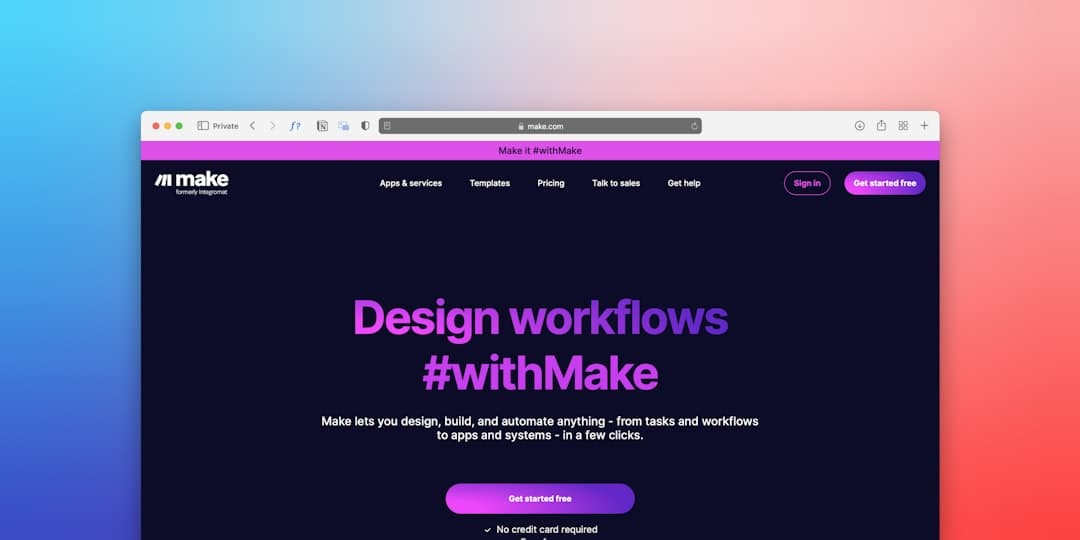
Why Automate Electronic Signature in Engineering with Make?
The engineering sector generates a considerable volume of contractual documents: engineering contracts, amendments, reception reports, subcontracting agreements, compliance certificates and study reports. According to a McKinsey study (2024), engineering teams spend on average 27% of their working time on repetitive administrative tasks, of which collecting and tracking signatures is among the most time-consuming.
Connecting Certyneo to an automation platform like Make (formerly Integromat) makes it possible to transform these manual processes into intelligent workflows, where each signature is triggered, tracked and archived without human intervention. This guide explains to you, step by step, how to implement this integration in a B2B engineering context, while complying with eIDAS regulatory requirements.
We will address successively the architecture of the integration, step-by-step configuration in Make, available triggers and actions, then best practices specific to the engineering sector.
---
Understanding the Make + Certyneo Architecture for Engineering
Make (Integromat): A No-Code Orchestration Platform
Make is a visual integration and automation platform that allows you to create scenarios linking hundreds of applications via drag-and-drop modules. Unlike Zapier, Make offers advanced conditional logic, iterators, aggregators and routers, making it a tool particularly suited to complex engineering workflows (multi-party, multi-step, documents with multiple signatories).
Make positions itself between your business tools (ERP, CRM, project management tools like Autodesk Construction Cloud, Procore, or Microsoft Project) and Certyneo, orchestrating data flows and signature triggers.
The Certyneo API: The Entry Point for Integration
Certyneo exposes a complete RESTful API allowing you to perform all operations available from the graphical interface: creating signature requests, adding signatories, defining signature fields, sending notifications, retrieving status and downloading signed documents. The API uses OAuth 2.0 authentication and JSON format, which guarantees native compatibility with Make via the HTTP module or, ideally, via a dedicated Certyneo connector.
The Certyneo API respects the interoperability standards defined by ETSI EN 319 132 for XAdES signature and ETSI EN 319 122 for CAdES, thus ensuring that each signature produced is legally enforceable throughout the European Union.
Typical Topology of an Engineering Workflow
In a design office or engineering company, a typical workflow looks like this:
- Trigger: a new subcontracting agreement is created in the ERP (e.g., SAP, Sage, or a construction project management tool).
- Extraction: Make retrieves contract metadata (parties, amount, site references).
- Document Generation: the AI-powered contract generator from Certyneo produces the structured PDF document.
- Creating the Signature Request: Make calls the Certyneo API to create the request and add signatories in the defined order.
- Sequential or Parallel Signature: Certyneo sends signature links to the relevant parties.
- Notification and Archiving: Upon receipt of each signature, Make triggers a Slack/Teams notification and archives the signed document in your document management system (SharePoint, Google Drive, Egnyte, etc.).
This architecture eliminates manual email exchanges and guarantees complete traceability, essential during engineering project audits.
---
Step-by-Step Configuration of the Integration in Make
Step 1 — Create the Scenario and Configure the Certyneo Connection
In your Make workspace, create a new scenario. If the native Certyneo connector is available in the Make marketplace, select it directly; otherwise, use the HTTP > Make a request module or HTTP > Make an OAuth 2.0 request.
To configure the connection:
- Base URL: `https://api.certyneo.com/v1`
- Authentication Method: OAuth 2.0 (Client Credentials) or Bearer Token API key, depending on your Certyneo account configuration
- API Key: available in your Certyneo dashboard, Settings > Integrations > API section
Keep your API key in Make's connection manager (and not hardcoded in the scenario) to follow security best practices.
Step 2 — Define the Trigger Suitable for the Engineering Sector
The choice of trigger is critical. In engineering, the most common triggers are:
| Trigger | Make Module | Use Case |
|---|---|---|
| New file in SharePoint folder | SharePoint > Watch Files | Contract deposited by the sales team |
| New row in Google Sheets spreadsheet | Google Sheets > Watch Rows | Tracking of contracts to be signed |
| Incoming webhook from ERP | Webhooks > Custom Webhook | Purchase order validated in SAP |
| New Jira/Asana ticket | Jira > Watch Issues | Project deliverable requiring customer validation |
For complex engineering workflows (e.g., signing an engineering contract requiring co-signature by a technical director and a legal director), the incoming webhook trigger from the ERP offers the greatest flexibility.
Step 3 — Create the Signature Request via the Certyneo API
Once the trigger is configured, add an HTTP module pointing to the Certyneo signature request creation endpoint:
``` POST https://api.certyneo.com/v1/signature-requests ```
The JSON request body includes:
```json { "name": "Subcontracting Contract - Project {{1.project_name}}", "signers": [ { "email": "{{1.signer_email}}", "name": "{{1.signer_name}}", "order": 1 } ], "document_url": "{{2.file_url}}", "signature_level": "advanced", "expiry_date": "{{formatDate(addDays(now; 15); 'YYYY-MM-DD')}}" } ```
Note the use of the `advanced` signature level (Advanced Electronic Signature, AES), in accordance with eIDAS requirements for significant-value engineering contracts. For internal low-stakes documents, the `simple` level is sufficient.
Step 4 — Manage Notifications and Post-Signature Archiving
After creating the request, add a second branch in your Make scenario, triggered by a Certyneo webhook signaling the completion of the signature. Certyneo automatically sends a POST to the webhook URL you will have defined in the signature request settings.
Upon receipt of this webhook, your scenario can:
- Download the signed and timestamped PDF via `GET /signature-requests/{id}/signed-document`
- Archive it in your document management system (SharePoint, Egnyte, Google Drive)
- Update the contract status in your ERP or CRM
- Send an automatic notification to the project team via Slack, Teams or email
- Trigger invoicing or opening of a new project in your management tool
This chain of actions guarantees end-to-end traceability of the document lifecycle, a fundamental requirement in audited projects (ISO 9001 certification, public contracts, Seveso-regulated projects).
---
Best Practices Specific to the Engineering Sector
Managing Multi-Party Signatures and Sequential Workflows
Engineering often involves documents requiring multiple signatories in a specific order: first the project manager, then the technical director, finally the legal representative of the client company. Certyneo natively handles sequential signature via the `order` parameter in the signatory list.
In Make, you can dynamically build the signatory array using an Array Aggregator that collects signatory data from your ERP or a reference table, before injecting it into the Certyneo API request. This approach allows you to manage contracts with 5 to 10 signatories without modifying the scenario.
Associating Signatures with Project Files
In engineering, each signed document must be associated with a specific project folder. Use Certyneo's custom metadata to store the business reference, project phase and market code. This metadata will be returned in the completion webhook and can be used by Make to archive the document in the correct folder of your document management system.
This practice aligns with the requirements of ISO EN 19650 (information management in BIM) and facilitates documentary audits at the end of the project.
Monitoring Workflow Quality and Errors
Make offers a detailed execution log for each scenario. In a professional context, configure email or Slack alerts on failing scenarios, and use Make's Error Handler module to handle API failures (rate limiting, oversized document, unknown signatory).
If you wish to compare Certyneo's capabilities with other market solutions before launching the integration, consult our comparison of electronic signature solutions to identify the solution best suited to your engineering context.
Finally, to maximize the return on investment of your automated workflow, our electronic signature ROI calculator allows you to precisely estimate the time savings and cost reductions achievable depending on the volume of documents processed by your design office.
Legal Framework Applicable to Electronic Signature in Engineering
Legal Foundations of Electronic Signature
In French law, the legal value of electronic signature rests on Article 1366 of the Civil Code, which provides that "writing in electronic form is admissible as evidence in the same manner as writing on paper medium", and on Article 1367, which specifies that "the signature necessary for the completion of a legal act identifies its author and manifests his consent".
At the European level, the eIDAS Regulation No. 910/2014 (Electronic Identification, Authentication and Trust Services), supplemented by eIDAS 2.0 (Regulation EU 2024/1183), defines three levels of electronic signature:
- SES (Simple Electronic Signature): suitable for internal low-stakes documents.
- AES (Advanced Electronic Signature): recommended for routine engineering contracts, subcontracting agreements and purchase orders. It guarantees reliable identification of the signer and document integrity.
- QES (Qualified Electronic Signature): required for notarial acts and certain large-scale public contracts.
Obligations Specific to the Engineering Sector
In the context of public contracts, Decree No. 2016-360 relating to public contracts mandates complete dematerialization above certain thresholds. Commitment letters and subcontracting agreements must be signed with an AES or QES conforming to eIDAS, produced by a Qualified Trust Service Provider (QTSP) listed on the European Trusted List.
ETSI EN 319 132 defines the XAdES profiles used for advanced XML signature, while ETSI EN 319 122 covers CAdES profiles for binary document signature. Certyneo complies with these standards, guaranteeing interoperability and cross-border recognition of signatures.
GDPR and Protection of Signatory Personal Data
The processing of signatory personal data (name, email, signature biometric data) is subject to Regulation GDPR No. 2016/679. As a data controller, your engineering company must ensure that Certyneo acts as a data processor within the meaning of Article 28 GDPR, with a DPA (Data Processing Agreement) properly executed. Signature data must be retained for the applicable prescription period (5 years for commercial contracts under Article L. 110-4 of the Commercial Code, 10 years for construction contracts due to the ten-year warranty).
NIS2 Directive and Security of Automated Workflows
Engineering companies operating in critical sectors (energy, transport, water) may be subject to the NIS2 Directive (2022/2555/EU), transposed into French law by the Law of April 14, 2025. This directive imposes security requirements on information systems, including automation workflows connected to third-party providers like Make and Certyneo. Data flows should be documented, communications encrypted (TLS 1.3 minimum), and a register of digital subcontractors maintained.
Use Cases: Make + Certyneo in Engineering
Scenario 1 — Geotechnical Design Office Managing 300 Mission Reports Annually
A design office specializing in geotechnics, with about fifteen engineers, produces on average 300 mission reports and service contracts annually. Before Make + Certyneo integration, each report required manual email sending, a phone follow-up after 5 days without response, and manual archiving on the file server. The average time to collect signatures was 8 working days.
After deploying the automated workflow — triggered by depositing the finalized report in SharePoint — the Make scenario automatically creates the Certyneo signature request, sends the notification to the client, and automatically follows up at Day 3 if the signature is not received. The signed document is instantly archived in the corresponding project folder.
Result: reduction in signature time from 8 days to 1.8 days on average (−78%), saving approximately 2.5 hours of administrative assistance per week, or about €3,500 annually in administrative processing costs. These orders of magnitude are consistent with sector benchmarks published by Forrester Research on document automation (2024).
Scenario 2 — Industrial Engineering Company Managing Multi-Party Subcontracting Contracts
A mid-sized industrial engineering company (80 to 150 employees) manages projects requiring the signature of subcontracting agreements involving 3 to 6 parties: owner, delegated engineer, tier 1 and tier 2 subcontracting companies. Each contract requires strict sequential signature for contractual and insurance reasons.
The Make + Certyneo workflow is triggered by purchase order validation in the ERP. Make dynamically builds the ordered list of signatories from the supplier database, creates the Certyneo signature request with sequential parameters, and notifies each party in turn. Upon completion, the signed contract is archived in Procore and the contract status is updated in the ERP.
Result: elimination of sequencing errors (a subcontractor signing before the engineer) through automatic management of signature order. Average contract finalization time reduced from 12 days to 4 days (−67%), accelerating the actual start of job sites.
Scenario 3 — Engineering Consulting Firm Managing Scope Change Amendments
An engineering consulting firm supporting industrial clients in product transformation projects frequently produces amendments in the course of the mission, requiring rapid validation to avoid blocking the project. These amendments were previously printed, signed in meetings or sent by mail, generating delays incompatible with agile project pace.
With Make + Certyneo, creating an amendment in the project management tool automatically triggers a signature request. The client receives a mobile-friendly signature link allowing them to sign from their smartphone in less than 2 minutes, even when traveling on site. The advanced signature level (AES) is applied, ensuring the legal value of the amendment.
Result: amendment validation time reduced from 5 to 7 days to under 24 hours in 85% of cases. Improved customer satisfaction and reduced risk of undocumented scope drift, a frequent source of disputes in engineering consulting.
Frequently Asked Questions
What is the legal value of an electronic signature generated via a Make automation?
An electronic signature produced by an automated workflow has the same legal value as a signature made manually from the interface, provided that the trust service provider complies with the eIDAS regulation. What confers probative value is the signature level (simple, advanced, or qualified) and the certificate associated with the signatory, not the way the request was technically initiated.
Is Make compliant with the GDPR for processing signatory data in engineering workflows?
Make can be used within a GDPR framework, provided that you correctly configure the data processing region (European servers available), sign a data processing agreement with Make, and limit personal data transmitted to what is strictly necessary. Signatory data, such as name and email address, must be processed on the basis of a legitimate contractual purpose properly identified in your processing register.
Can sequential signatures be automated for multiple signatories in an engineering project?
Yes. Sequential signature means that each signatory receives their link only after the previous one has signed. This logic is configurable via the API by defining a signature order when creating the request. Make then orchestrates the return webhooks to trigger each step, which is particularly useful for design and engineering contracts requiring successive validation by the technical director, then the legal director.
What happens if a signatory refuses to sign in an automated workflow?
When a signatory refuses, the API emits a specific status event that Make can intercept via a webhook. It is recommended to configure a router in the scenario to handle this case: automatic notification to the project manager, workflow suspension, and logging of the event in the document management system. This exception handling ensures that no refusal goes unnoticed, which is essential for the contractual traceability required in engineering.
How long must signed documents be retained in an engineering contract context?
French civil law sets a five-year limitation period for common law contracts between professionals (article 2224). For construction contracts and design services, certain statutory warranties such as the ten-year guarantee require documents to be kept for at least ten years. It is therefore advisable to configure your target document management system to comply with these timeframes, independently of the retention period applied by the signature platform itself.
Conclusion
The integration of Certyneo with Make (Integromat) represents a major efficiency lever for actors in the engineering sector. By automating the entire document lifecycle — from contract creation to archiving of the signed document — you eliminate repetitive manual tasks, reduce signature times by 67 to 78% on average, and guarantee complete eIDAS compliance for every document produced.
Technical configuration, while requiring careful initial setup, is accessible to teams with a no-code profile or a Make integrator. Benefits manifest within the first weeks of use, with measurable ROI on administration costs and site startup times.
Ready to transform your document workflows? Create your Certyneo account for free and connect your first Make scenario in less than an hour, or contact our team for personalized support tailored to your engineering context.
Try Certyneo for free
Send your first signature envelope in under 5 minutes. 5 envelopes for 14 days, then 2/mo, no credit card required.
Go deeper on the topic
Reference articles on this topic.
Go deeper on the topic
Our comprehensive guides to master electronic signatures.
Continue reading about Tutorials
Deepen your knowledge with these related articles.
Two-Factor Authentication: A Guide for Accounting
Securing access is a critical concern for accounting firms. Discover how to implement two-factor authentication to protect your client data and meet your regulatory obligations.
Verify the Authenticity of an Electronically Signed Document in Telecommunications
In the telecommunications sector, the validity of an electronically signed contract involves major financial and regulatory implications. Discover practical methods for verifying the authenticity of a signed document and securing your document flows.