
Sending a Financial Statement for Signature: Complete Guide
The validation of a financial statement through electronic signature is gaining ground in accounting firms. Discover how to send your documents in full legal compliance.
Writer — Certyneo · About Certyneo
Sending a Financial Statement for Signature: Complete Guide
The closure of an accounting period imposes an unavoidable ritual: the formal validation of the financial statement by the client. For decades, this process relied on paper printouts, postal mail and often incompressible return times. Today, electronic signature is transforming this workflow profoundly. This article explains to you, step by step, how to send a document for signature for a financial statement, which technical solutions to use, and how to guarantee the probative value of the signature obtained — both for the accountant and for their client.
Why electronic validation of the financial statement has become essential
The limitations of the traditional paper process
In an accounting firm, the closure period concentrates dozens, even hundreds of financial statements to be validated simultaneously. Each delay in client signature has a direct impact on legal filing deadlines — in particular the publication of annual accounts at the commercial court registry, required within six months following the closure of the fiscal year for commercial companies (article L. 232-23 of the Commercial Code). An oversight, a missing signature or a poorly archived document can expose the firm to penalties, but above all damage the client relationship.
Remote handwritten signature suffers from several structural defects: sending and return delays (3 to 5 working days on average), risk of loss, absence of reliable traceability, and inability to automate follow-ups. The logistical cost of a complete paper file (printing, registered mail, archiving) ranges between 8 and 20 € per file according to sectoral estimates.
The legal value of electronic signature for accounting documents
Since the transposition of the European directive on electronic signature and the entry into force of the eIDAS regulation in 2016, electronic signature has the same legal force as handwritten signature as long as it meets minimum technical requirements. For a financial statement intended to be presented to shareholders, banks or tax authorities, an advanced electronic signature (AES) or qualified electronic signature (QES) constitutes the recommended level. Electronic signature in business is based on these levels of guarantee to secure all binding acts.
Concretely, this means that the electronically signed document — with certified time-stamping, an audit trail and a signatary identity verification — will be admissible in the event of a dispute before a French or European court.
Steps to send a financial statement for electronic signature
Step 1: Prepare the final PDF document
Before any sending, the financial statement must be finalized in its definitive version. Any subsequent modification would invalidate the document. Best practices recommend:
- Converting the document to PDF/A (long-term archiving format standardized ISO 19005), which guarantees that the file remains readable over time regardless of the software used.
- Verifying that all mandatory annexes are integrated into the single file: profit and loss statement, balance sheet assets/liabilities, legal annex.
- Removing any unwanted sensitive metadata (revision comments, internal author names).
This rigorous preparation is the prerequisite for reliable signature workflow. A poorly structured document can block automatic signature field placement tools.
Step 2: Choose the right signature level according to context
Not all accounting acts require the same level of security. For a financial statement intended for client validation, here is the recommended framework:
| Context | Recommended level | Identity verification |
|---|---|---|
| Simple client validation (SMEs) | Advanced Electronic Signature (AES) | Email + SMS OTP |
| Court filing or shareholder act | Qualified Electronic Signature (QES) | eID verification or video identity |
| Associated statutory auditor report | Qualified Electronic Signature (QES) | Qualified certificate |
For the vast majority of accounting firms, advanced signature is sufficient for financial statement validation by the manager or director, as it uniquely binds the signatory to the document and detects any subsequent alteration.
Step 3: Configure sending on a compliant platform
A professional electronic signature platform allows you to:
- Upload the document and place signature fields in appropriate locations (signature page, initials if necessary).
- Add the signatory(ies) with their email address and mobile number for OTP authentication.
- Configure automatic reminders (for example: reminder on day 3 if no signature, then day 7).
- Define signature order if multiple parties must sign (manager, majority shareholder, accountant themselves for associated engagement letter).
- Automatically archive the signed document in your document management system or cabinet management software.
If you are currently using another tool and wish to optimise your costs, it is possible to migrate from DocuSign or YouSign to Certyneo without interrupting your current workflows.
Step 4: Track signature and archive proof
Sending is not enough: monitoring is essential. A good electronic signature tool automatically generates:
- A signature certificate attesting the exact time of signature, the signatory's identity and document integrity.
- A detailed audit trail listing each action: document opening, OTP authentication, signature application.
- A confirmation email sent to all parties with the signed document attached.
These elements constitute the legal proof that can be raised in case of dispute. They must be kept for a minimum of 10 years, the legal storage period for accounting documents imposed by article L. 123-22 of the Commercial Code.
Integrating electronic signature into the accounting firm workflow
Automating validation flows for annual closures
The real added value of electronic signature is not to be a simple substitute for paper: it is the automation of repetitive workflows. A firm handling 150 annual statements can configure recurring document templates with pre-positioned signature fields, client distribution lists by category, and automated follow-up sequences. The average time savings documented in sectoral studies published by European accounting software publishers is around 60 to 75% on the signature collection cycle compared to a paper process.
To go further in optimisation, you can consult our electronic signature ROI calculator to precisely estimate the savings generated for your firm.
Ensuring GDPR compliance in signatory data management
Each sending of an electronic signature request involves the processing of personal data: name, surname, email address, telephone number. The firm is then responsible for processing under the GDPR. Minimum obligations include:
- Informing the client of data processing in the context of the signature process (mention in the terms and conditions or in the invitation email).
- Choosing a platform whose servers are hosted in the European Union (guarantee of non-transfer outside the EU without adequate protection).
- Keeping data only for as long as necessary for proof (aligned with applicable legal prescription period).
The choice of a trusted service provider qualified by ANSSI or recognized by a European certification authority is therefore an essential selection criterion, as much as price or ergonomics. Our comparison of electronic signature solutions details the criteria to evaluate to make the right choice.
Managing cases of signature refusal or dispute
A client may refuse to sign, request last-minute modifications, or subsequently contest having signed the document. Advanced or qualified electronic signature makes these disputes much more difficult to maintain, as the audit trail proves the signatory's action. Nevertheless, the firm must document its pre-sending communications (oral validation, emails confirming the content of the statement) to build a complete proof file.
In case of modification requested after sending, simply revoke the signature request in progress on the platform, correct the document, and send a new request. This version traceability is automatically managed by professional platforms, avoiding any confusion about the reference document. To understand the fundamentals of these mechanisms, the complete guide to electronic signature remains the basic reference to consult.
Legal framework applicable to electronic signature of financial statements
Electronic signature affixed to a financial statement falls within a multilayered normative framework, articulating European and French law.
eIDAS Regulation No. 910/2014 — This foundational text establishes three levels of electronic signature (simple, advanced, qualified) recognised in all EU Member States. Article 25 specifies that a qualified electronic signature has a legal effect equivalent to a handwritten signature. For financial statements, the advanced level is generally sufficient but the qualified level is recommended for acts filed with the court.
Civil Code, articles 1366 and 1367 — Article 1366 establishes the principle of equivalence of electronic writing to paper writing, provided the author is duly identified and document integrity is guaranteed. Article 1367 specifies the conditions for validity of electronic signature in French law, in line with eIDAS.
Commercial Code, article L. 123-22 — This article requires a minimum retention period of 10 years for accounting documents. This obligation applies to the electronically signed document as to its paper equivalent. The signature platform used must therefore guarantee storage with probative value for this duration, or the firm must ensure the transfer of documents to a probative electronic archiving system (SAE) compliant with the NF Z42-013 standard.
GDPR No. 2016/679 — The processing of personal data of signataries (contact details, authentication data) subjects the firm to the obligation to keep a record of processing (article 30 GDPR), to inform the persons concerned (articles 13-14), and to implement appropriate security measures (article 32).
ETSI EN 319 132 Standard — This European technical standard defines advanced signature formats based on XAdES, CAdES and PAdES (the latter being the standard for PDFs). It guarantees interoperability between trusted service providers and long-term readability of signatures.
NIS2 Directive (EU 2022/2555) — Although primarily targeting operators of critical infrastructure, NIS2 strengthens security requirements for information systems of digital service providers, including electronic signature platforms. The choice of a qualified service provider according to ANSSI benchmarks (security visa) constitutes a guarantee of compliance.
Legal risks to anticipate — The use of a non-compliant eIDAS platform exposes the firm to the unenforceability of the signature in case of dispute. Similarly, the absence of an exploitable audit trail or storage outside the EU without adequate guarantees constitutes a violation of GDPR obligations, exposing to fines that can reach 4% of annual global turnover.
Concrete usage scenarios
Scenario 1: A regional accounting firm with 200 active clients
An accounting firm of about fifteen employees manages approximately 200 annual closure files concentrated over three months (March to June). Before adopting electronic signature, each statement required printing 15 to 25 pages, sending by registered mail with acknowledgement of receipt, and an average wait of 8 days to retrieve the signed document. Signature delays delayed filing at the court for about 30% of files.
After deploying an advanced electronic signature solution, the average validation cycle fell to 1.8 days (median delay observed in migrated firms according to professional sectoral reports 2024-2025). The rate of files late for court filing was reduced by more than 70%. Savings in mailing and printing costs were estimated at over €3,000 over the closure season, not to mention the employee time freed up for higher value-added tasks.
Scenario 2: A multi-entity family holding requiring coordinated signatures
A holding structure owning five subsidiary companies must have each annual statement validated by the respective co-managers, sometimes located in different cities. Paper coordination was a frequent source of blockages: a signatory absent from the office when mail was returned could delay the entire consolidation chain.
Thanks to an electronic signature workflow configured with sequential signature orders, each manager receives their signature request on their smartphone and can sign from anywhere. The accountant piloting the file has a centralized dashboard indicating in real time the status of each signatory. The overall time to collect signatures for the five entities fell from 3 weeks to less than 4 working days.
Scenario 3: An independent accountant wishing to digitalize their engagement letter and financial statement simultaneously
An independent accountant managing a client base of small enterprises wishes to send in a single workflow the annual engagement letter and the financial statement to be signed by the client director. The chosen solution allows them to group two documents in the same electronic envelope, with distinct signature fields on each document. The client receives a single link, authenticates via SMS OTP, and signs both documents in less than three minutes. The accountant immediately receives both signature certificates and automatically archives the files in their management software. This workflow allowed them to completely eliminate paper communications for 95% of their clients in less than two months of deployment.
Conclusion
Sending a document for signature for a financial statement is no longer just a matter of sending a PDF by email and waiting for a scanned return. Advanced or qualified electronic signature, compliant with the eIDAS regulation, offers a legally robust, traceable and archivable solution that meets the requirements of the Commercial Code as well as the expectations of modern clients. For accounting firms, the challenge is twofold: reduce validation times and secure the probative value of signed documents.
Certyneo allows you to deploy these signature workflows for your financial statements in a few hours, with pre-configured templates, automatic reminders and compliant archiving. Create your free account on Certyneo and have your next statement validated in less than 48 hours.
Try Certyneo for free
Send your first signature envelope in less than 5 minutes. 5 envelopes for 14 days, then 2/mo, no credit card required.
Dive deeper
Reference articles on this topic.
Dive deeper
Our comprehensive guides to master electronic signatures.
Continue reading about Tutorials
Deepen your knowledge with these articles related to the topic.

Send a Document for Signature in the Engineering Sector
In engineering and design offices, the signature of contractual documents is daily and strategic. Discover how to streamline this process while guaranteeing regulatory compliance.
Signatory Client Portal in the Public Sector: Practical Guide
Local authorities, administrations: setting up a dematerialised signatory client portal is now essential. Discover the complete guide to achieve this in compliance.
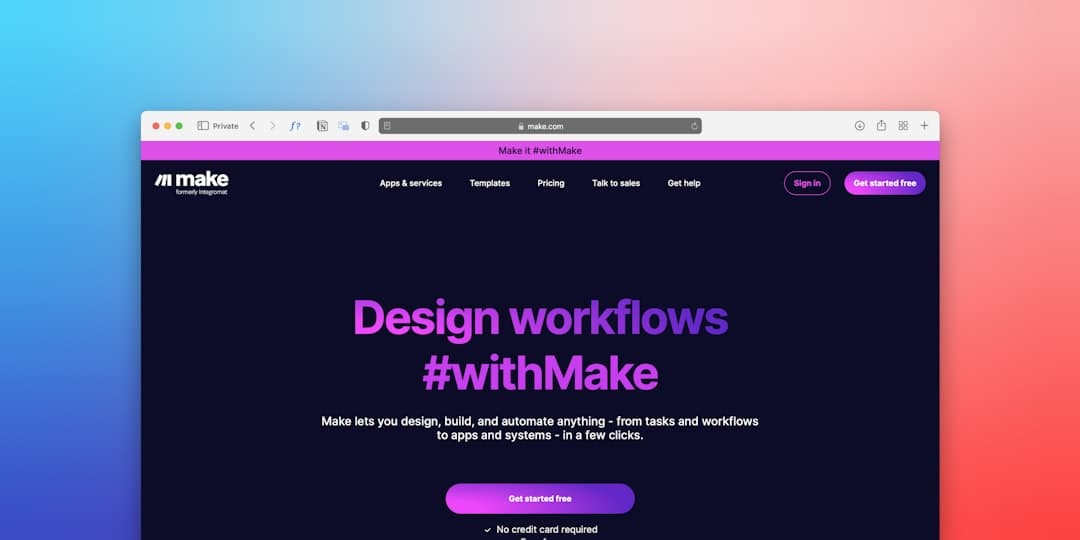
Certyneo and Make: Automating Signature in Engineering
Automating electronic signature workflows via Make (Integromat) transforms document processes in engineering. Discover how to integrate Certyneo in just a few steps.